


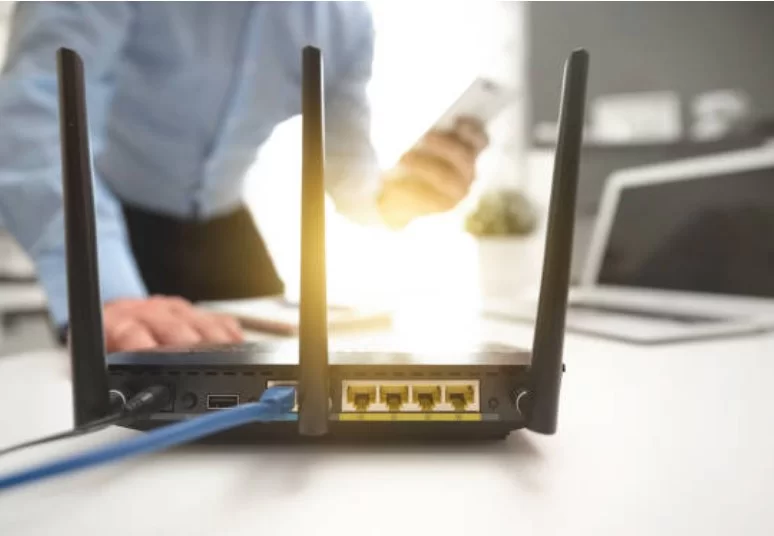
Slow Internet Speeds – Improve Performance With Better Setup
Slow internet speeds aren’t always caused by the internet plan itself. Router placement, Wi-Fi interference, old equipment, crowded networks, background downloads, and weak coverage can all reduce performance. Before upgrading to a more expensive package, test where the slowdown happens and determine whether the problem involves the incoming connection, the home network, or one particular device.
Test the Connection Before Changing Anything
Start with a speed test on more than one device. If possible, compare a Wi-Fi test with a computer connected directly to the router by Ethernet.
A major difference between wired and wireless results usually points toward the home Wi-Fi setup rather than the service entering the property.
While browsing online publication pages or streaming media, remember that one slow website doesn’t prove the entire connection is failing. Test several services before drawing conclusions.
Restart the Basic Network Equipment
A router or modem can sometimes develop temporary connection problems after running continuously. Restart equipment using the manufacturer’s recommended process, then test again after the connection fully returns.
If the same slowdown comes back frequently, repeated restarting is a workaround rather than a permanent fix.
Put the Router in a Better Location
Wi-Fi performs poorly when the router is hidden behind thick walls, placed on the floor, enclosed inside furniture, or positioned at one extreme end of a large home.
A more central, open, elevated location generally gives wireless signals a better path to the rooms where devices are used.
People moving between regional news platforms and bandwidth-heavy apps may notice inconsistent performance if their device is far from the router. Test from several rooms to identify weak areas.
Reduce Competition on the Network
Multiple televisions, computers, game systems, security cameras, cloud backups, phones, and smart devices can share the same connection. Performance may drop when several devices download or upload heavily at once.
Check whether large updates, backups, video calls, or high-resolution streaming coincide with the slowdown.
Routine browsing of city-based media requires much less bandwidth than several simultaneous high-quality video streams, so the type of activity matters.
| Problem | Likely Area to Check | First Action |
|---|---|---|
| Fast wired, slow Wi-Fi | Wireless setup | Move router |
| One device is slow | Device settings | Restart and update |
| Whole home slows at night | Network demand | Check active devices |
| Distant rooms are weak | Coverage | Improve access points |
Avoid Common Upgrade Mistakes
Buying the fastest available plan won’t fix poor router placement. Likewise, replacing a functioning modem won’t necessarily improve weak Wi-Fi in distant rooms.
Another common mistake is adding inexpensive extenders everywhere without planning placement. Poorly positioned repeaters can create confusing network behavior or deliver disappointing speeds.
Test first. Upgrade the part of the system that actually limits performance.
Improve Coverage Methodically
If one router cannot cover the property, consider a properly positioned mesh system, wired access points, or Ethernet connections for stationary devices that need consistent performance.
For important desktop computers, televisions, or game consoles, a wired connection can also remove them from Wi-Fi competition.
Keep router firmware and device software current when supported by the manufacturer. Older wireless hardware may also become a bottleneck when many newer devices are connected.
Frequently Asked Questions
Why is my internet fast beside the router but slow upstairs?
Distance, walls, floors, building materials, and interference can weaken Wi-Fi signals. Better router placement or additional properly designed coverage may be needed.
Will buying a faster internet plan fix slow Wi-Fi?
Not necessarily. A faster plan helps only when the internet service itself is the limiting factor. Weak coverage, interference, old equipment, or device problems can remain unchanged.
Why does internet speed change during the day?
Network usage inside the home can vary by hour, and service conditions may also change. Compare several tests at different times and check which devices are active during slow periods.
Fix the Bottleneck Instead of Guessing
Treat slow internet as a system rather than a single number on your monthly plan. Compare wired and wireless performance, move the router, check active devices, and map weak areas before spending money. Once you know where performance drops, the right fix becomes much easier to identify—and unnecessary upgrades become easier to avoid.







Leave a Reply